> ## Documentation Index
> Fetch the complete documentation index at: https://docs.clarion.cantina.xyz/llms.txt
> Use this file to discover all available pages before exploring further.
# Huntress
> Connect Huntress to Clarion for endpoint detection and response (EDR) data enrichment during alert triage.
This guide walks you through connecting your Huntress account to Clarion. Huntress provides endpoint detection and response (EDR) data that Clarion uses to enrich alert triage with real endpoint intelligence.
**Estimated time:** 5 minutes. You will need **Huntress Admin** access.
## Prerequisites
* Access to your **Huntress Dashboard** as an admin
* A **Clarion workspace** with the Huntress integration wizard open
***
## Step 1 — Generate API Credentials in Huntress
1. In the Huntress dashboard, click the **menu button** in the upper-right corner.
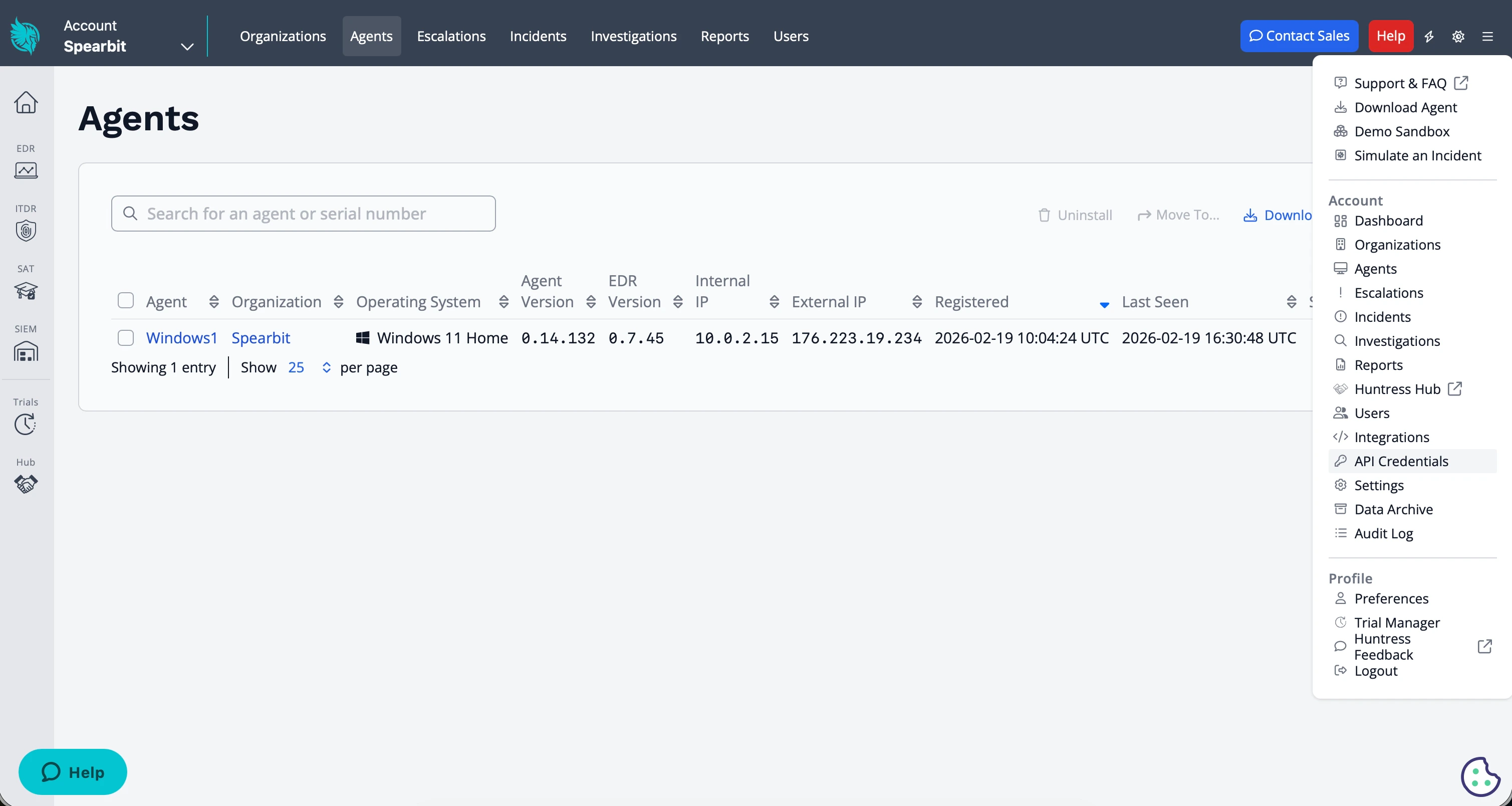 2. Select **API Credentials**.
3. In the **User API Credentials** section, click **Add**.
2. Select **API Credentials**.
3. In the **User API Credentials** section, click **Add**.
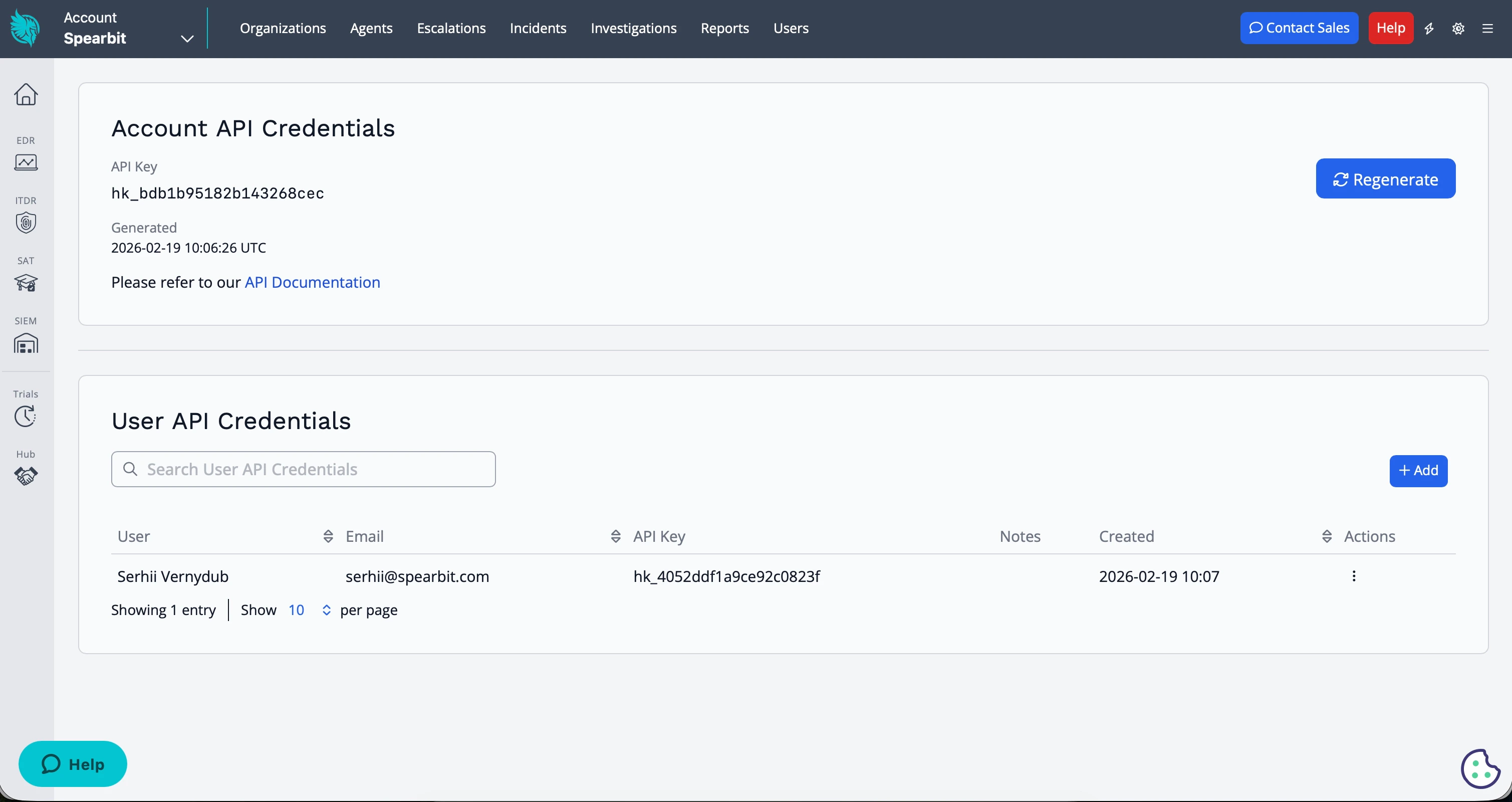 4. Select the appropriate user and copy the generated **API Key** and **API Secret**
Copy the API Secret immediately — it will only be shown once. Store it securely.
***
## Step 2 — Enter Credentials in Clarion
1. In Clarion, open the **Huntress integration** from your workspace settings
2. Paste the **API Key** and **API Secret** from Huntress
3. Click **Save** to activate the integration
***
## What happens next
Once configured, Clarion will:
* Query Huntress for endpoint data during alert triage (e.g. matching IP addresses to known managed endpoints)
* Use EDR context to validate or dismiss suspicious sign-in alerts from other integrations (e.g. Okta)
* Provide agents with visibility into which devices are protected and their current status
4. Select the appropriate user and copy the generated **API Key** and **API Secret**
Copy the API Secret immediately — it will only be shown once. Store it securely.
***
## Step 2 — Enter Credentials in Clarion
1. In Clarion, open the **Huntress integration** from your workspace settings
2. Paste the **API Key** and **API Secret** from Huntress
3. Click **Save** to activate the integration
***
## What happens next
Once configured, Clarion will:
* Query Huntress for endpoint data during alert triage (e.g. matching IP addresses to known managed endpoints)
* Use EDR context to validate or dismiss suspicious sign-in alerts from other integrations (e.g. Okta)
* Provide agents with visibility into which devices are protected and their current status